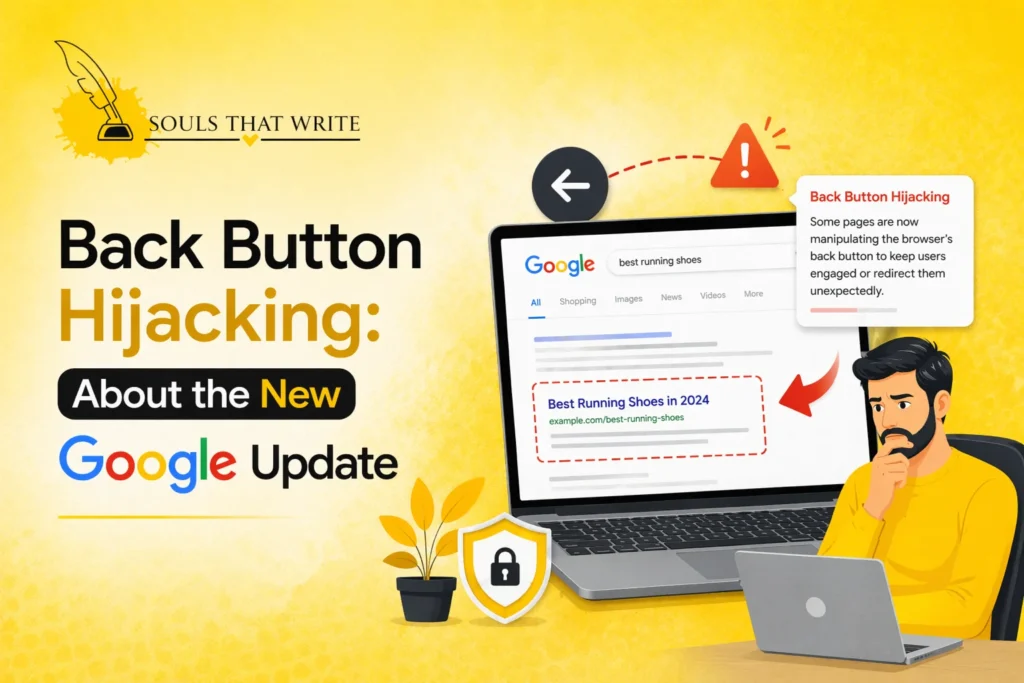
One thing Google has made very evident in 2026 is that user experience will no longer be optional. When your site irritates visitors, you will lose rankings. Back button hijacking is one of the largest problems Google is currently targeting.
This practice is not new since it has been happening for years, yet most site owners either overlooked it or intentionally employed it to influence the user behavior. Back button hijacking is now squarely in the spotlight with Google’s latest update. These tactics can cause websites to lose visibility, traffic, and trust.
If you own a website, blog, or landing page, it is essential to understand back button hijacking. This is not only a technical problem, but an SEO, UX and compliance one.
We will start to deconstruct it in a straightforward manner.
What is Back Button Hijacking?
Back button hijacking is when a website interferes with a user’s browser back button, preventing them from leaving the page normally.
Instead of going back to the previous page, users experience:
- Redirect loops
- Pop-ups or forced actions
- Navigation blocks
- Unexpected page reloads
Put succinctly, the user is trapped into the site.
Why Back Button Hijacking is a Problem
This is the truth of the matter–users demand control. As soon as this control is removed, frustration grows.
Back button hijacking creates:
- Poor user experience
- Higher bounce frustration
- Loss of trust
- Increased exit rates
In Google’s eyes, this is a straight-out betrayal of user-first principles.
Types of Back Button Hijacking
Here is the point, back button hijacking is not necessarily obvious. The majority of websites do not trap their users. Rather, they resort to small technical tricks that disrupt a browser’s normal user behavior. Externally, it is like a glitch. It is actually calculated or illogical logic.
To correct or prevent it, however, you have to know what the specific forms of back button hijacking are today. To detail them, let us divide them.
1. JavaScript History Manipulation
This is the most prevalent type of back button hijacking.
JavaScript may be used on websites to update the browser’s history stack via calls such as pushState or replaceState. The back button does not take you back to the previous page; instead, it reloads the same page or displays changed states.
What happens:
- User clicks back
- The browser remains on the page
- Navigation feels broken
This is confusing and frustrating because the back button will no longer behave normally.
2. Redirect Loop Hijacking
This form of back button hijacking drives the users into a cycle.
The site automatically redirects the user a second time when the user revisits the site via scripts or server-side redirects.
What happens:
- User clicks back
- Page redirects again
- Loop continues
The only means of exit is to close the tab, and this is a blatant violation of the user control.
3. Exit-Intent Pop-Up Blocking
Not every pop-up is evil- however, aggressive pop-ups may result in back button hijacking.
On other websites, the entire screen opens or an overlay appears when clicking the exit button. These adverts interrupt or postpone navigation.
What happens:
- User clicks back
- Pop-up appears instantly
- Navigation is interrupted
When the pop-up cannot be closed easily or repeats, then it becomes a manipulative experience.
4. Fake Intermediate Pages
This is a more sophisticated form of back-button hijacking.
Users, instead of returning to the real prior page, are redirected to a bogus one, or one that keeps them entertained, such as a special offer, or a wait before you leave page.
What happens:
- User clicks back
- Lands on an unexpected page
- The original page is concealed
This creates a confusing navigation flow and undermines user trust.
5. Infinite Scroll Trap
This has become an updated form of back-button hijacking, particularly on sites with rich content.
In case of infinite scrolling, the page does not change and the new content is loaded continuously. Users do not return to their previous scroll position or page when clicking back.
What happens:
- Scrolls into content deep User
- Clicks a link
- Presses back
- Going back to the top other than to the original position
This is not necessarily deliberate but ineffective execution leads to the same irritation.
6. Forced Refresh on Back Action
Other websites will reload the page when accessed by clicking back.
This back button hijacking involves the execution of a script which causes the page to refresh or re-initialize rather than to be navigated in the usual way.
What happens:
- User clicks back
- Navigating as opposed to page reloads
- Previous page is not shown
This violates expected browser behavior and disrupts the user journey.
7. Session-Based Navigation Blocking
In some sites, navigation is governed by session logic.
When the user attempts to back up, the system examines the session state and redirects the user to a predefined page other than the previous one.
What happens:
- User clicks back
- Redirected to the home page or to the login page
- Page before could not be accessed
8. Mobile-Specific Back Button Hijacking
Mobile browsers do not act the same way and not all sites are as innocent.
Back button hijacking may include:
- App-like navigation traps
- Forced redirects
- Breach of browser gestures
What happens:
- User swipes back
- Page doesn’t exit
- Reloads or navigation loops
This is especially annoying since people using mobiles need gesture-based navigation.
9. Delayed Navigation Interference
Not all sites block at once, but slow down navigation deliberately.
This form of back-button hijacking introduces a delay between user action and actual navigation.
What happens:
- User clicks back
- Page stops or halts
- Then turns or rereads
This latency causes confusion and in most cases users will tend to press an object a number of times hence making it worse.
10. Multi-Step Funnel Traps
The navigation control is occasionally abused by sales funnels.
They do not give the user options to leave freely but rather force the user to follow several processes when attempting to leave.
What happens:
- User clicks back
- Is diverted to another funnel step
- Cannot exit easily
It is among the most violent types of back-button hijacking. This is commonly used in poor-quality marketing funnels.
Google’s New Update on Back Button Hijacking
The point is this, this is not a simple SEO optimization. Google has now categorized back button hijacking as an official spam-violation, instead of a bad UX practice. That is a huge change.
This was discouraged in the past. Now, it’s penalized.
Let’s break down what this update actually means in practical terms.
1. Back Button Hijacking is Now Officially a Spam Violation
Google has revised their spam policies and specified the back button hijacking as a malicious practice.
This means:
- It’s no longer a gray area
- It is thought of as deceptive behavior
- It directly violates Google Search guidelines
The core issue? It disrupts the expectation of the users by messing up the functionality of browsers.
2. Enforcement Starts from June 15, 2026
Google did not simply declare the rule, but provided a hard deadline.
- Policy announced: April 2026
- Enforcement begins: June 15, 2026
This provided a temporary window for the site owners to rectify the problems until the punishment took effect.
3. Direct Impact: Rankings Will Drop
This is the point at which it becomes serious.
Whilst websites with back button hijacking can experience:
- Manual spam actions
- Algorithmic ranking drops
- Minimal visibility in search
Google has ensured that these sites can be downgraded or directly punished in search results.
In simple terms: traffic loss will be ensured unless fixed.
4. Focus on User Experience (Not Just Content)
This update confirms one thing: Google is no longer doing just a content evaluation; it is doing a behavioral and experience evaluation.
According to Google:
- Users would expect the back button to be operating normally
- Violation of this expectation leads to frustration
- It ruins credibility in terms of the site and the search results
Now then, UX manipulation = SEO risk.
5. Even Unintentional Issues Can Get Penalized
This is where most of the websites are caught unawares.
Google clearly states:
- It is up to you to behave on your site
- Penalties can be triggered even when it comes to third-party scripts
- Hidden problems may occur with ads, plugins or libraries.
That means you can be penalized even if you didn’t intentionally implement back-button hijacking.
6. Rise in Abuse Triggered This Update
Google didn’t create this rule randomly.
They observed:
- Increasing use of history manipulation scripts
- The number of websites that trap the users is increasing
- Increased agitation among users
Due to this increase, Google has decided to elevate back button hijacking from an implied behavior to an explicit one.
7. Part of a Bigger Shift Toward “User-First SEO”
This update is not in isolation. It fits the overall strategy of Google:
- Helpful Content System
- Spam policy tightening
- UX-focused ranking signals
The information is clear:
If your site is playing around with users, you will lose rankings.
8. What Google Expects From Website Owners
The recommendation of Google is quite clear:
- Do not get in the way of browser navigation
- Eliminate history-distorting scripts
- Weeds out false redirects or pitfalls
- Audit any third-party code
Users should not be denied an opportunity to leave normally, and thus, there ought to be a solution to whatever is hindering them.
How Back Button Hijacking Impacts SEO
This is where seriousness comes in.
1. Increased Bounce Frustration
Users can be kicked out, boosting negative signals.
2. Reduced User Trust
There are reduced chances of returning to visitors.
3. Lower Engagement Metrics
On site time can be raised artificially-but quality decreases.
4. Crawling Issues
Search engines might not be able to deal with manipulated pages.
How to Check If Your Website Has Back Button Hijacking
You do not have to have sophisticated tools at hand, begin with basic checks.
Manual Testing
- Visit your website
- Click internal links
- Press back button
Behavior Indicators
Watch for:
- Unexpected redirects
- Repeated page reloads
- Delayed exit
Technical Audit
Check:
- JavaScript handling history
- Redirect scripts
- Pop-up triggers
How to Fix Back Button Hijacking
The corrective action on back button hijacking is not difficult- discipline is necessary.
1. Remove History Manipulation Scripts
Do not use JavaScript that changes the way the browser navigates.
2. Fix Redirect Logic
Ensure:
- The back button takes one back to the real previous page
- No forced loops
3. Optimize Pop-Ups
Use pop-ups carefully:
- Block not navigation
- Allow easy closing
- Avoid aggressive triggers
4. Test Across Devices
Check behavior on:
- Mobile
- Desktop
- Different browsers
Best Practices to Avoid Back Button Hijacking
To be safe, follow these:
- Respect user navigation
- Make exit flow aistic
- Avoid manipulative scripts
- Focus on clean UX
What Google Really Wants
Let’s simplify it.
Google does not care about your tricks, but users.
If your site:
- Feels smooth
- Allows easy navigation
- Doesn’t trap users
You’re safe.
Otherwise, you will be in danger.
Future of UX-Based SEO Updates
The trend is clear:
- Additional emphasis on user behavior
- Less manipulability
- Increased UX standards
Back button hijacking is just the beginning. Additional UX-driven improvements is a must.
Conclusion
Here’s the bottom line—back button hijacking is not just a technical issue, it’s a trust issue.
When your website attempts to control people rather than assist them, Google will pick up on that- and so will your audience.
The easiest, safest rule is:
- Respect the user
- Keep navigation clean
- Avoid manipulation
If you want more real, practical, no-fluff insights on SEO updates, user experience, and growth strategies, Souls That Write gives you exactly that, content built to help you stay ahead, not just informed.