In 2026, SEO is no longer about keywords, backlinks, or rankings. Search engines are becoming more user behavior-oriented, engagement signals-oriented, and page experience-oriented. And if you are optimizing websites using only Search Console and analytics dashboards, you are not seeing the full picture.
This is where Microsoft Clarity comes in as a tool.
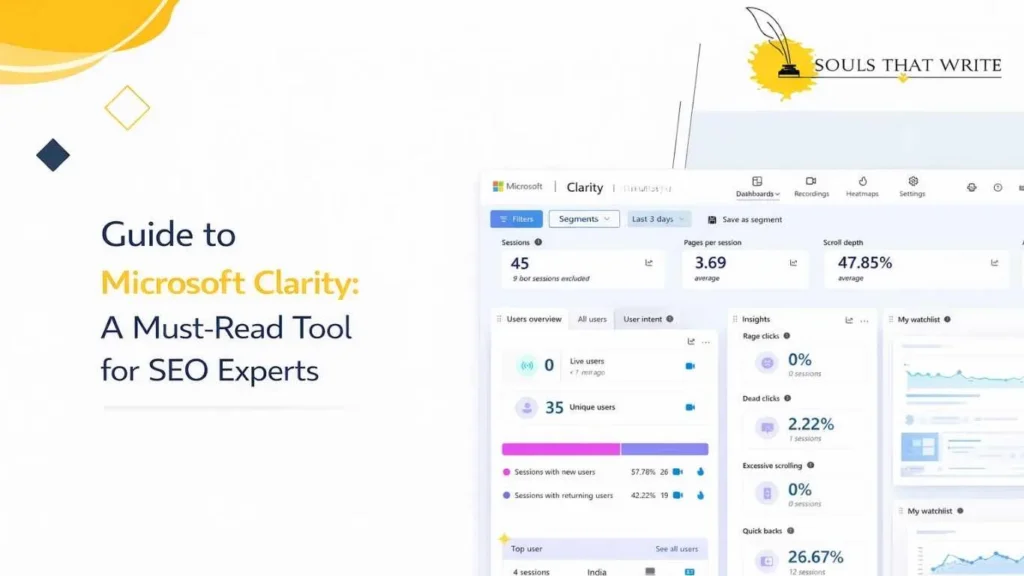
Microsoft Clarity helps search engine optimizers understand what truly happens on a site: where they click, how far down they scroll, what they are having difficulty with, and why they are abandoning. Clarity is a behavior-oriented analytics tool compared to traditional analytics, which focuses only on numbers.
This guide will explain what Microsoft Clarity is, how it operates, why SEO experts should use it, and how to convert Clarity findings into quantifiable SEO growth.
What Is Microsoft Clarity?
Microsoft Clarity is a user behavior analytics tool developed by Microsoft. It captures actual user interactions on a site and displays them as heat maps, session recordings, and behavior insights.
Rather than guessing at the guessing of why users are bounced or why they drop in the rankings, Clarity illustrates to you:
- Where users click
- How far they scroll
- Which elements frustrate them
- Where they abandon pages
This is a treasure trove to SEO experts.
Why Microsoft Clarity Matters for SEO
Google’s ranking systems are increasingly based on user experience signals, even if they are not necessarily directly measurable.
Clarity assists SEO professionals in optimizing:
- Engagement
- Content readability
- Page layout
- Navigation flow
- Conversion friction
Simply put, improved user experience = improved SEO efficiency in the long run.
Core Features of Microsoft Clarity
Here are some of the crucial features of Microsoft Clarity that makes the user behavior tracking easy for SEO experts:
1. Session Recordings
You can watch actual user visits to your site as a video replay.
You can see:
- Mouse movement
- Scrolling behavior
- Click patterns
- Hesitation points
- Rage clicks
This assists in the detection of UX problems that directly influence SEO metrics such as the bounce rate and the dwell time.
2. Heatmaps
The three types of heatmaps provided by Clarity are:
- Click heatmaps
- Scroll heatmaps
- Area heatmaps
These demonstrate which areas of your page are being viewed and which are being disregarded.
To the SEO experts, this would streamline:
- CTA placement
- Content structure
- Internal linking positions
3. Rage Click Detection
Rage clicks occur when people repeatedly press unresponsive buttons.
These signals indicate:
- Broken buttons
- Confusing UI
- Poor mobile experience
When rage clicking problems are solved, the level of engagement and bounce rates decrease.
4. Dead Clicks & Error Insights
Dead clicks occur when users click non-interactive features that don’t trigger an action.
SEO experts use this to:
- Improve navigation clarity
- Reduce frustration
- Enhance page usability
5. Scroll Depth Tracking
Clarity indicates how far users scroll on each page.
This is critical for:
- Content placement decisions
- CTA positioning
- Above-the-fold optimization
Unless users scroll, they are not consuming your content at all, which indirectly harms SEO.
How Microsoft Clarity Helps Improve SEO
Here are leadings ways Microsoft Clarity gives upper hands at improving SEO practices:
1. Reducing Bounce Rate Naturally
Clarity helps identify:
- Poor page layouts
- Confusing headings
- Unclear intent match
The resolution of these increases interaction without cheating on measurements.
2. Improving Dwell Time
Knowing at which point the user ceases to read or no longer has an interest in reading, SEO professionals can:
- Rewrite weak sections
- Break long paragraphs
- Add visuals strategically
3. Optimizing Content Structure
Clarity reveals:
- Skipped sections
- Ignored CTAs
- Misplaced internal links
SEO professionals can also reorganize content based on actual behavior rather than speculation.
4. Enhancing Mobile SEO
Distinctiveness divides mobile and desktop behavior.
This helps:
- Fix mobile layout issues
- Improve tap targets
- Reduce mobile bounce rates
The mobile experience is one of the key SEO factors nowadays.
Microsoft Clarity and Core Web Vitals
Although Core Web Vitals is not directly measured by Clarity, it complements it.
You can:
- Determine user frustration caused by slow loading.
- Post-performance behavior changes.
- Fixing CWV verification on actual user sessions.
How to Set Up Microsoft Clarity
Setting up Microsoft Clarity make look complex but it’s way too easy. Just few steps and you are good to go with Microsoft Clarity:
Step 1: Create a Clarity Account
Go to Microsoft Clarity and log in with your Microsoft or Google account.
Step 2: Add Your Website
Insert your website address and project name.
Step 3: Install Tracking Code
You can install Clarity via:
- Direct script
- Google Tag Manager
- CMS plugins
Step 4: Verify Installation
Data is recorded in minutes with clarity.
Microsoft Clarity + Google Analytics Integration
Clarity has a major strength in being a native Google Analytics integration.
Benefits:
- Watch Clarity presentations on GA.
- Relate behavior to sources of traffic.
- Visualize SEO traffic performance.
This is a very powerful integration to the SEO experts.
How SEO Experts Should Use Clarity Weekly
A simple weekly workflow:
- Review top landing pages
- Watch 10–20 sessions per page
- Identify friction points
- Fix layout or content issues
It is about consistency rather than volume.
Common SEO Problems Clarity Helps Solve
- High bounce rate despite good rankings
- Pages not converting despite traffic
- Users missing CTAs
- Confusing navigation
- Poor mobile UX
Clarity offers solutions that conventional tools are not able to offer.
Microsoft Clarity for Content Optimization
Clarity can help SEO professionals to:
- Improve blog readability
- Adjust content flow
- Test different layouts
- Validate content updates
This renders Clarity a content SEO tool, rather than a UX analytics.
Microsoft Clarity for Conversion Rate Optimization (CRO)
SEO traffic is of no use unless it converts.
Clarity helps:
- Identify hesitation points
- Improve CTA placement
- Reduce friction in forms
- Improve lead quality
Improved conversions enhance ROI of SEO.
Is Microsoft Clarity Really Free?
Yes. Microsoft Clarity is open-source, and includes:
- No traffic limits
- No data sampling
- No hidden costs
This makes it one of the most generous analytics tools.
Limitations of Microsoft Clarity
Clarity is powerful, but it has shortcomings:
- No direct SEO ranking data
- No keyword tracking
- No backlink insights
It must be used to supplement, not to substitute for, SEO tools.
Who Should Use Microsoft Clarity?
- SEO experts
- Content strategists
- UX designers
- CRO specialists
- Website owners
- Bloggers
In case user behavior is important to you, Clarity is vital.
Microsoft Clarity Best Practices for SEO Experts
- Focus on high-traffic pages first
- Separate mobile and desktop analysis
- Watch real sessions, not just heatmaps
- Combine Clarity with Search Console data
- Act on insights quickly
Future of Microsoft Clarity in SEO
As search engines evolve, behavioral signals will become increasingly important.
The positioning of Microsoft Clarity is:
- A UX intelligence layer
- A behavior validation tool
- A conversion optimization engine
SEO professionals who implement it will benefit.
Final Thoughts
Microsoft Clarity helps close the gap between human behaviour and traffic data. It demonstrates the experience of the users, not only what figures are.
It is an important insight for SEO experts.
If you want:
- Better engagement
- Lower bounce rates
- Smarter content decision
- Stronger SEO performance
Then Microsoft Clarity is not optional; it is a necessity.
If you appreciate the practicality of SEO, guides that rely on tools, and explanations, Souls That Write is the platform worth following.
At Souls That Write, you will find:
- Advanced SEO guides
- AI and digital marketing insights
- Tool reviews that matter
- Multi-niche content written for real professionals
Souls That Write is the place where SEO experts can find clarity and not clutter.